Privacy settings are easy to ignore during setup and awkward to fix later, so a deliberate review early on is worthwhile. Mixx Followers keeps a small set of choices that decide what details the app holds, what it asks your phone for, and how your sessions behave on a shared or frequently used device.
This guide walks through those choices in a practical order. If you want the general app overview alongside it, the Mixx Followers homepage covers the basics, and the sections below focus on the settings worth checking before the app becomes part of your daily routine.
Start with What the App Stores
The most useful privacy habit is knowing exactly which details you have given the app. Open the profile or account area and read every saved field with fresh eyes. Anything you do not recognise, no longer use, or never meant to add should be corrected or removed, because stored details tend to be reused quietly across future sessions.
Keep the stored set deliberately small. An app used for one focused purpose rarely needs every optional field filled in. Leaving optional details blank is a valid choice, and it reduces how much personal information sits inside an app you may later uninstall, replace, or move to a new phone.
Reviewing Android Permissions
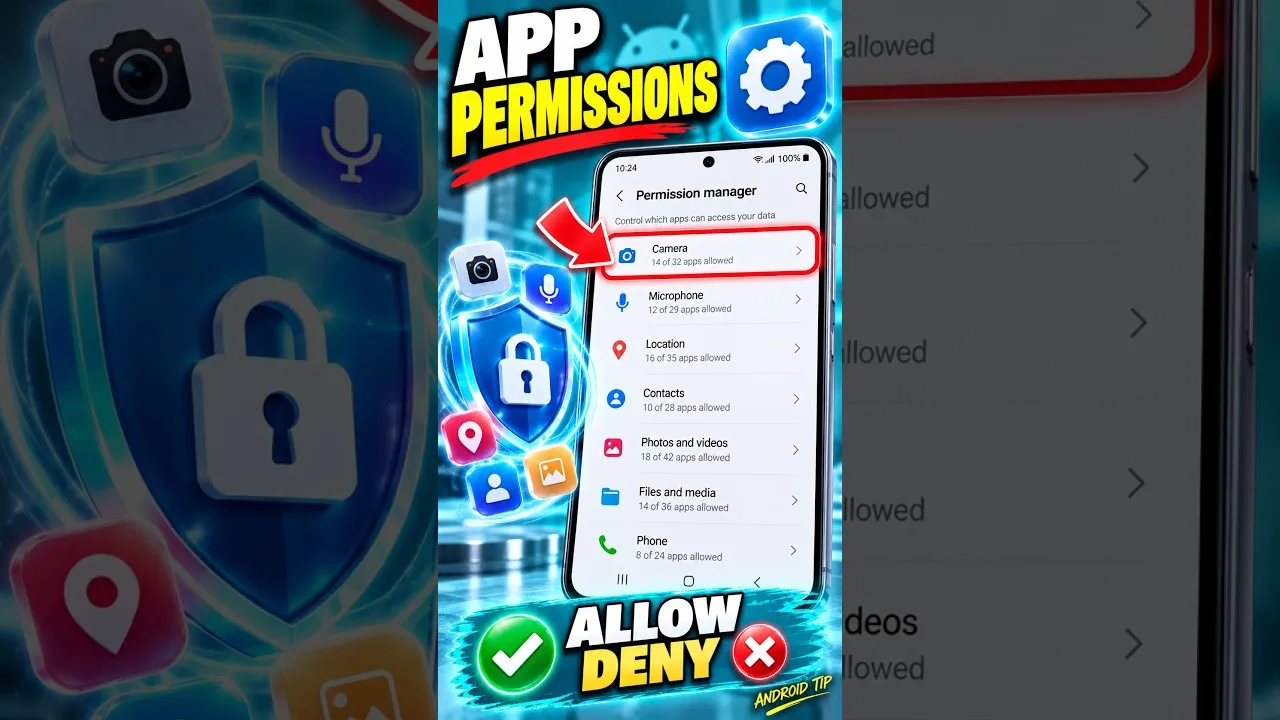
Permissions decide what the app can reach on your phone, and Android lets you review them at any time from the system settings. Open the app info page for Mixx Followers and look at each granted permission in turn. If one does not match anything you actually do in the app, you can withdraw it and watch whether normal use is affected.
Change one permission at a time rather than switching everything off at once. That way, if a screen stops behaving as expected, you know exactly which change caused it and can restore just that one. The wider Mixx Followers features guide for Android helps you match each permission to the feature that is most likely to request it.
Profile Visibility Choices
Where the app offers visibility or display choices, read them as an audience question: who is this detail for, and does it need to be shown at all? Defaults tend to favour convenience and sharing, which is not always what every user wants. Choosing the quieter option rarely limits the core follower-related tasks the app is built around.
Revisit these choices whenever your own situation changes. A profile used casually at first may later become part of work, study, or a public project, and the visibility that felt fine at the start may no longer fit. A two-minute review after any big change keeps the settings aligned with how you actually use the account.
It is also worth deciding what happens if you lose the phone. A device lock you actually use, plus the habit of keeping app sessions deliberate on shared hardware, covers most realistic situations. Thinking through that scenario once, calmly, in advance is far more useful than improvising privacy decisions in the stressful hour after a phone goes missing.
Sessions on Shared Devices
Many Android phones are shared more often than their owners admit: a family tablet, a spare handset, or a phone handed to a friend to show something. If Mixx Followers stays signed in on such a device, anyone holding it can open your session. Signing out after use on shared hardware is a simple, effective habit.
Also think about notifications and previews on the lock screen, which can reveal app activity to anyone nearby. Our common Mixx Followers mistakes to avoid covers this and several other small oversights that quietly undo otherwise careful privacy choices. Adjusting preview behaviour in Android settings keeps your activity visible only when you unlock the phone yourself.
Making Privacy Checks Routine
Privacy is not a one-time screen; updates, reinstalls, and new phones can all return settings to their defaults. Add a short review to moments you already have: after a major update, after changing devices, or at the start of a new year. Each review only needs the same short checklist used in this guide.
Write that checklist down once you are happy with it. Three or four lines — stored details, permissions, visibility, shared-device habits — turn a vague intention into a repeatable routine, and they make it obvious when a setting has drifted from the choice you originally made on purpose.
What to Do After a Major Change
Certain moments deserve an automatic privacy review: installing a major update, moving to a new phone, lending the device regularly to someone else, or returning to the app after a long break. Each of those moments can quietly alter what is stored, granted, or visible, and none of them announces that it has done so.
Keep the review proportional. You are not rebuilding your setup each time, only comparing the current state against the choices you made deliberately before. Where they differ, restore your preference. Where your preference itself has changed, update your note. Five minutes of comparison keeps months of drift from accumulating unnoticed.
Final Thoughts
Good privacy in Mixx Followers comes from small, deliberate choices: store less, grant only the permissions that match real features, set visibility on purpose, and sign out on shared devices. Review those choices after updates and device changes, and the app stays aligned with your comfort level instead of drifting away from it. None of it requires expertise, only the willingness to look at the settings occasionally and treat them as yours.